
Electronic job sheets: what to record from arrival to office review
A good electronic job sheet gives the next person enough detail to understand what happened. Decide what the crew must record, what the office reviews and what the customer receives.
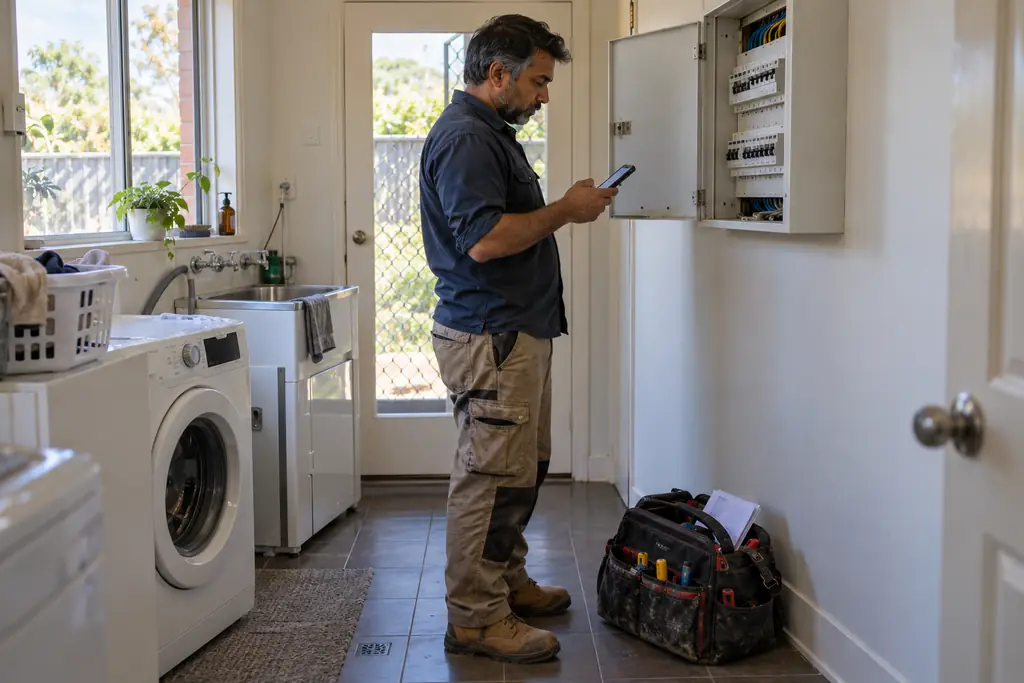
An electronic job sheet should answer the questions the office would otherwise ring the crew to ask. Which site did you attend, what did you do, what did you use and what remains unfinished? Moving the sheet onto a phone helps only when the record is clear enough for someone who was not there to understand it and act on it.
This guide focuses on the contents of the job record, rather than the wider move from paper. For that change plan, read switching from paper and spreadsheets. If you are assessing job sheet software, use the checklist below to test whether it can support your actual field and office process, including the review before an invoice is prepared.
Start with the right job, site and scope
The first check is identity. A worker should be able to confirm the job reference, customer, service address and assigned work before recording anything. Include the contact who can provide access and the person who can approve a change. These may be different people. A technically detailed sheet attached to the wrong job is still a poor record and can create avoidable confusion.
Carry the agreed scope into the work instructions, with exclusions and known open questions clearly identified. Describe the expected result in language the crew can use at the site. If an earlier visit found a problem, point to that finding without treating it as a current inspection. The arriving worker needs to confirm the situation, not inherit an assumption that nobody has checked today.
A practical job sheet checklist
- Job reference, service address, assigned worker and visit date, checked against the work being attended rather than copied from an old record.
- Agreed work and relevant instructions, including access arrangements, customer responsibilities and the route for asking about extra scope.
- Arrival observations and any changed conditions that affect the plan, with a clear distinction between what was seen and what remains uncertain.
- Work completed, written in enough detail to identify the task and result without relying on a vague note such as all done.
- Materials actually used, including useful product descriptions, quantities and units, plus any returns or unused items that need office attention.
- Work, break and travel time recorded accurately, with corrections explained rather than silently changing the story of the day.
- Relevant Before, Progress, After or Issue photos, labelled with the area or item so another person can relate them to the written record.
- Outstanding work, faults, access problems and follow-up actions, with an owner or a clear request for an office decision.
- The worker's completion statement and submission status, followed by the office review outcome and any requested corrections.
Design form fields around useful decisions
Start from the questions your reviewer needs answered, then choose the simplest field for each one. Use a number field with a clear unit for a measured value, a choice field for a defined status and text for the explanation. A long paragraph asking for several unrelated facts is harder to complete consistently and harder for the office to review.
Mark a field required when the answer is genuinely necessary before submission. Explain how to record not checked or not applicable where your process allows those outcomes. Avoid forcing a worker to enter an invented number just to get past validation. Conditional questions can keep a form relevant, but check both the normal path and the path where the worker reports a problem.
Use photos to explain the work
Photograph the details that will help someone verify or understand the record. A wider view identifies the work area; a closer view shows the relevant detail. Add an opening, room, zone or equipment reference where needed. Progress photos are particularly useful before work becomes hidden. Keep the written explanation as well, because a photo rarely tells the reviewer what decision the worker made.
Check images for faces, keys, private documents and unrelated household details before using them outside the working record. Internal evidence and customer communication have different audiences. The person reviewing the job should deliberately decide what is suitable to share. Treat a marked-up image as an explanation of a finding, with the original retained where your process supports it, rather than as a replacement for the observation.
Record actual materials and time on the day
Make material descriptions specific enough to reconcile with the job and supplier records. Record quantities in consistent units and distinguish installed materials from items merely brought to site. Note anything returned, wasted or left for a later stage where it matters to the office. A quote allowance is a plan; it should not be copied into the actual record as proof that the same quantity was used.
Capture work, travel and breaks while the sequence is fresh. If a timer was left running or a visit was interrupted, explain the correction through the available review process. Good time records help scheduling and cost review as well as the immediate invoice. The aim is an accurate account of the work, not a sheet that happens to match the original estimate.
Be clear about the worker's completion statement
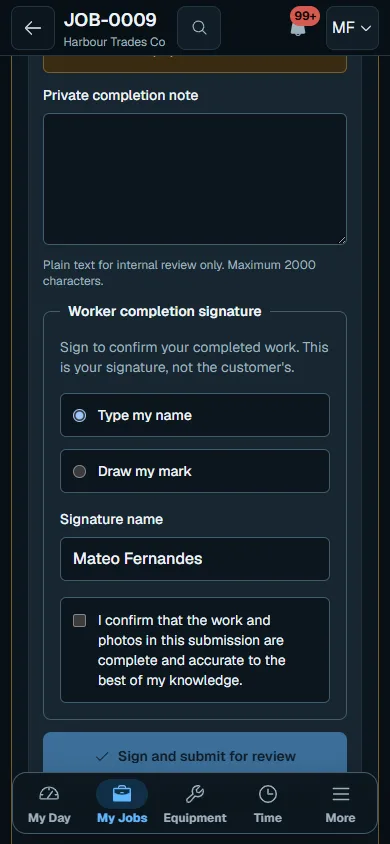
Submission means the worker is handing their record to the office. In Nenvik, the typed or drawn completion signature is the signed-in worker's statement that their work and evidence are complete. It is not an on-site customer sign-off. Do not ask a customer to use that field as though it records acceptance of the installation, an invoice or a variation.
Keep unfinished work visible when the worker submits the visit record. Completed attendance and completed scope are different states, particularly when a part is delayed. The note should explain what is done, what remains and what the office needs to arrange. Read assignment forms and submission before deciding how your team will use the completion step.
Give the office a clear review before invoicing
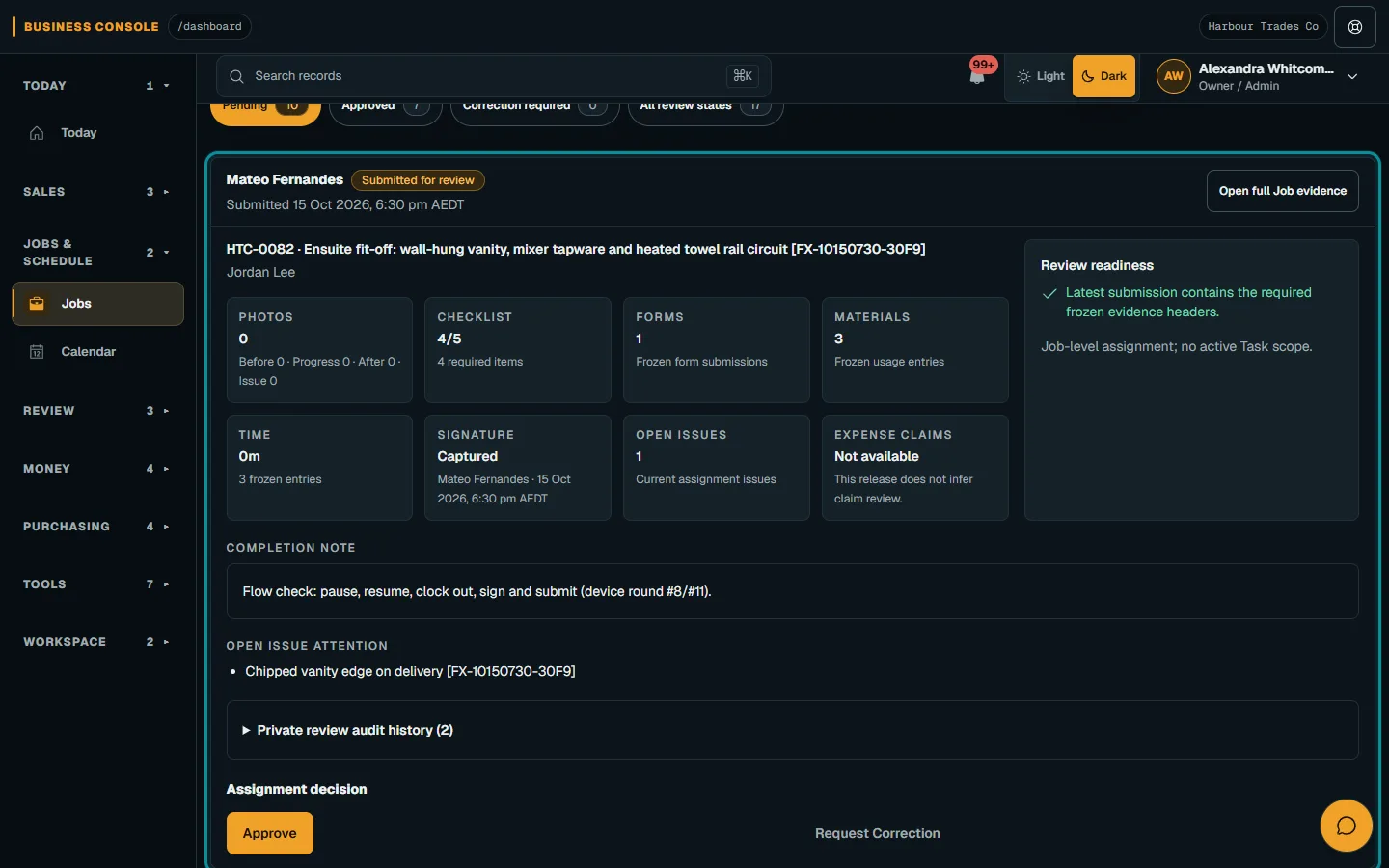
Agree who reviews submitted records and how quickly. Check the agreed scope, answers, materials, time, photos and outstanding issues together. A missing answer may need a correction from the worker; an extra item may need evidence of customer approval. Do not make the reviewer guess whether a note describes recommended work or work that has already been completed.
- Inspect the submissionRead the record against the agreed job and any approved changes. Confirm that the evidence describes this visit and that required information is meaningful, rather than merely present.
- Resolve gapsReturn unclear entries for correction and assign follow-up actions. Keep the reason specific so the worker knows what to fix and the next reviewer can understand the outcome.
- Prepare the invoiceUse the reviewed work and commercial agreement to prepare the bill. Check quantities, approved changes and the recipient before issuing it, rather than assuming every recorded item is an agreed customer charge.
Keep customer reports separate from internal evidence
The internal sheet can include private notes and evidence a customer does not need. Nenvik completed forms are not emailed or turned into a customer PDF. If your process needs a customer report, prepare it separately and review it for that audience. Authorised staff can upload an externally prepared report as a job document and explicitly publish its version to a shared portal job.
For electrical services or test and tag work, keep your specialist reporting process clear. Entered results and a completion statement do not make the software a certification tool. Check the requirements for your trade and state. Use customer portal jobs and documents to understand what deliberately published information the customer can access.
How Nenvik helps
Nenvik supports assignment checklists, versioned form templates manually applied by staff, private photos, materials and time. Supervisor work review brings submitted evidence together for authorised staff. Feature access depends on plan and role. Roll out one job type first, show the crew how to submit and correct a record, then adjust fields using reviewer feedback.
Common questions
What should an electronic job sheet include?
Record the job and site identity, agreed scope, work completed, materials, time and relevant photos. Make outstanding issues and next actions clear. Include worker submission and an office review before invoicing.
Which job sheet fields should be required?
Require the answers your team needs to review the work safely and accurately. Give workers a truthful way to describe information that was not checked where your process allows it. Do not force invented answers just to complete the form.
Is the Nenvik completion signature a customer sign-off?
No. It is the signed-in worker's statement that their work and evidence are complete. Keep any customer acceptance process separate from that worker submission.
Does Nenvik email completed forms as a customer report?
No. Completed forms stay in the authorised internal evidence workflow. A report prepared separately can be uploaded as a job document and deliberately published to a shared portal job by authorised staff.
More from the blog
 How to quote a price for a job: work out the cost before the totalA useful quote starts with what the work will cost your business. Build the price from labour, materials and overheads, then allow for risk and the profit you choose.Read article
  How to quote glass and glazing jobs from measure to fittingA glazing quote needs a reliable record of each opening before glass is ordered. Keep measurements, product decisions and fitting assumptions connected through to installation.Read article
  A practical landscaping and irrigation business workflowLandscape projects and maintenance rounds need different plans, but they rely on the same clear site records. Connect the assessment, quote, crew tasks and handover before work starts.Read article