
Cleaning business quoting: regular and one-off cleans
Walk the site, describe the work by area and separate the initial clean from the ongoing service before building the quote and planning visits.

A regular office clean and a one-off deep clean can happen at the same address while requiring very different work. The quote needs to make that difference visible. Start with the condition of the site, the areas included and the frequency of each task. A single line saying cleaning service leaves too much for the customer and crew to interpret later.
When comparing cleaning business software in Australia, follow that scope from the site walk-through to the crew's visit and the invoice. Nenvik's home and commercial cleaning workflows connect quotes, site instructions, assigned work evidence and invoicing. This guide focuses on how to quote cleaning jobs without assuming every site needs the same service or inventing a standard cleaning rate.
Walk through the site with a task list
Ask the customer to identify the areas they want cleaned and the outcome they expect. Check the starting condition, surfaces, obstacles and available access. A room count alone does not explain the work involved. Record what you have actually seen and label anything that could not be inspected. Resolve important unknowns before presenting a firm scope that depends on them.
- Identify kitchens, bathrooms, work areas, entrances and other included spaces.
- Record the tasks required in each area, including reachable surfaces and floor work.
- Check the starting condition and any areas needing an initial restorative clean.
- Discuss occupied areas, access times, parking and equipment arrangements.
- Confirm consumables, waste handling and work the customer will arrange separately.
- Note excluded areas and questions requiring a further inspection or decision.
Keep the paying customer separate from each service location and the people who provide access. The customers and service sites guide explains those records in Nenvik. A facilities contact may manage the visit without being the organisation that receives the invoice. Check both relationships before copying contact details onto the quote or job.
Describe tasks by area and frequency
Write the scope so the customer can understand what happens on an ordinary visit. Group related tasks by area and say when less frequent work is included. A kitchen wipe-down on every visit and an occasional detailed appliance clean are different commitments. Avoid relying on a broad phrase such as full clean when the customer's interpretation could include tasks you have not allowed for.
Separate the routine service from periodic tasks and optional additions. State the agreed limits for windows, internal cupboards, carpets or other specialist work when relevant to your service. Describe the condition or access assumptions that affect the quote. You are making the work understandable, rather than promising an outcome that depends on information the team has not yet confirmed.
For commercial cleaning software, test whether the published quote can explain those choices clearly. Nenvik supports quote options and optional extras. Use options for alternative scopes and extras for additional work the customer may select. Check the customer preview so optional work is visibly separate from the base service and the selected work is clear before planning attendance.
Price the initial clean and regular service separately
An initial deep clean may take different preparation, equipment and effort from the visits that maintain the site afterwards. Describe it separately if it is part of the proposal. Do the same for a one-off clean that has no ongoing commitment. The customer should be able to see which work is a single attendance and which scope applies to the regular service.
Build the selling price from your own expected labour, supplies, equipment, travel and other relevant costs, then review the business margin you need. Use the inspected scope and your own work history to support the estimate. There is no universal rate in this guide. For a practical costing approach, see how to quote a price for a job.
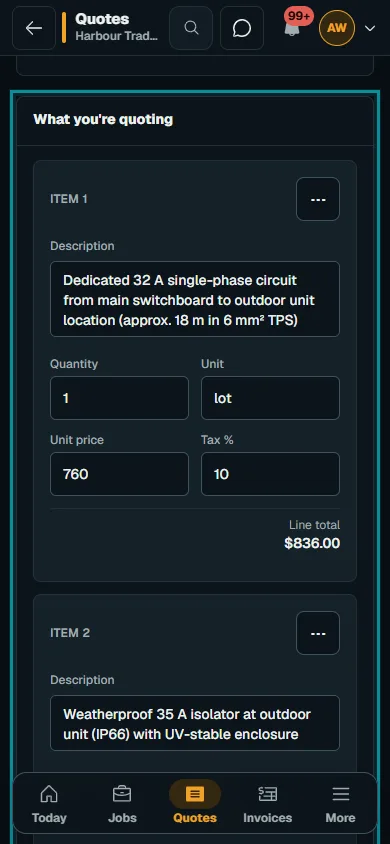
Use create and publish a quote to prepare the document in Nenvik. Check quantities, descriptions, options, terms and expiry before sending. If the customer later changes the included areas or frequency, review the scope and quote through the appropriate process. A follow-up conversation should not leave the crew working from a different understanding than the published document.
Use a service plan for the repeating visit
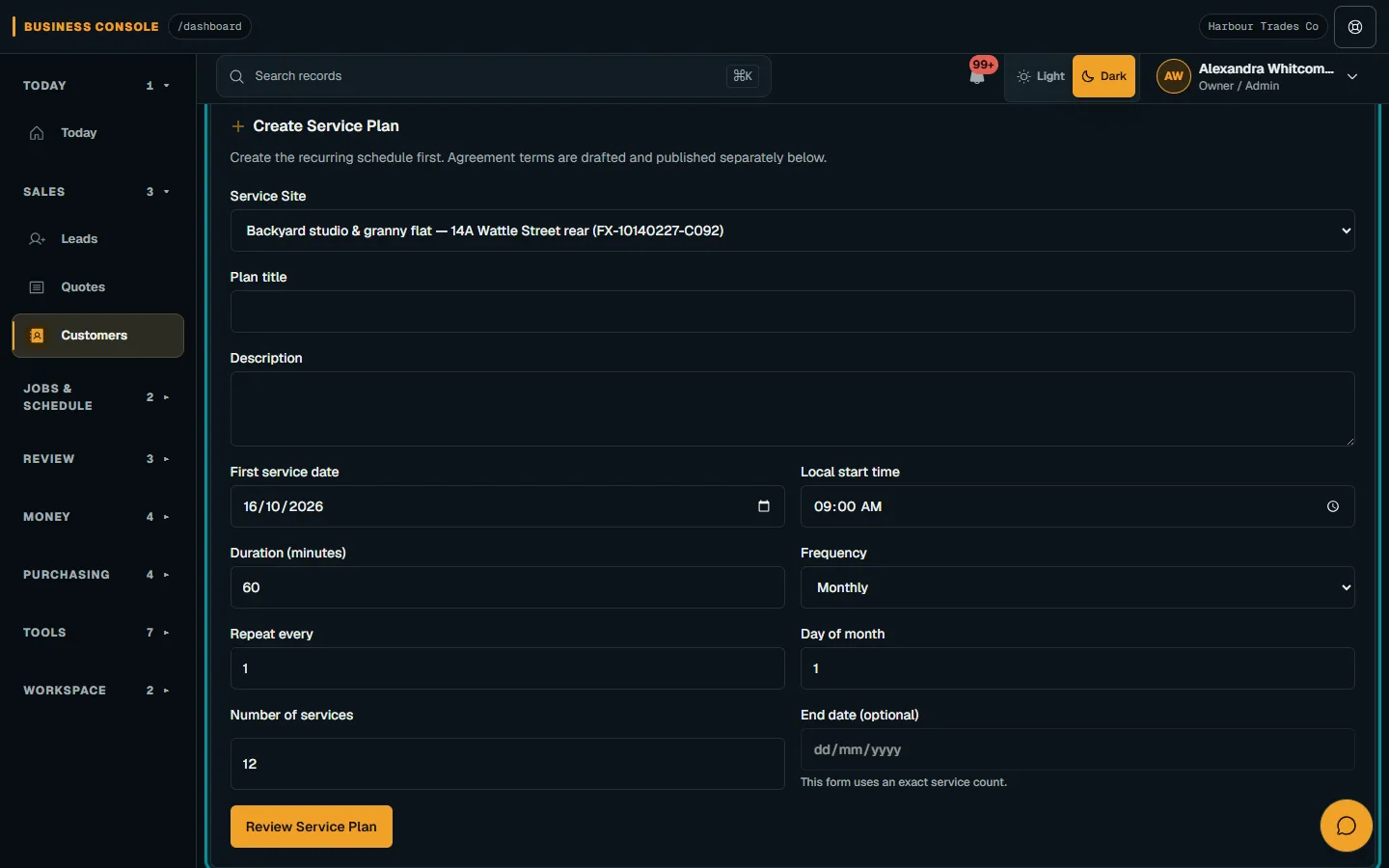
Once the recurring arrangements are agreed, record the service site and visit pattern. In Nenvik, a Service Plan repeats a visit for one customer site. Enter the title, first service date, local start time, frequency and number of services, then review and confirm. Keep the description specific enough for the office to recognise what the repeating visit is intended to cover.
The service plans and agreements guide explains that visits in the next 30 days become Scheduled jobs automatically. Those jobs start unassigned; the office chooses the crew. Agreement terms are drafted and published separately. Creating a plan is therefore a scheduling step, while the customer agreement and the choice of cleaners remain deliberate parts of your process.
Check the jobs that have appeared before promising a changed schedule. Editing a plan affects visits that are not jobs yet; jobs already created retain their time and crew. Reschedule or cancel those jobs individually where needed. Pausing a plan skips future visits while it is paused, but jobs already created stay booked. That distinction is useful when a customer closes an office temporarily.
Prepare access and keys notes before dispatch
Confirm who lets the cleaners in, where they can park, how keys are collected and returned, and who to contact if access fails. Keep those instructions current. Avoid putting sensitive access credentials into a customer-facing quote or a photo. The site notes should contain the operational instructions the authorised team needs, with unnecessary personal information left out.
In Nenvik, service sites provide Access instructions, Parking instructions and Safety notes, plus site contacts. Review the saved location on each job as well as the current customer record. Historical jobs retain their own location details when the service site later changes. For attendance, follow plan and dispatch a job and check the selected time and crew before confirming arrangements.
Give the cleaner a checklist that matches the quote
Convert the agreed tasks into useful assignment checks. Ask the cleaner to record work completed, exceptions and any area they could not access. Do not turn an unfinished task into a completed tick just to close the visit. Staff can add simple checklist items to an assignment and manually apply reusable custom forms when those suit the site's operational process.
The field evidence and time guide covers time, materials, private photos and submission for office review. Photos should explain relevant conditions and work, avoiding unrelated people or customer information. Submission does not automatically finish the whole job or publish private evidence. Review the visit before deciding whether to invoice, arrange a return or clarify an exception with the customer.
Invoice the work that was actually agreed
Before issuing the invoice, compare the visit record with the accepted scope and any separately approved changes. Make the service period or attendance clear in the description. Follow invoice and payment workflow to review the customer, lines and totals before issue. A recurring job record is a prompt to review the visit, not proof that every quoted task was completed.
Use feedback from completed visits to improve future quotes. If the same area repeatedly needs more work, review the scope and discuss it with the customer. Clear quoting gives both sides a shared starting point; clear visit records show where the actual service differed and what should happen next.
Common questions
How do I quote regular cleaning jobs?
Inspect the site, describe tasks by area and frequency, separate initial work from the regular service, and calculate the price from your own expected costs and business needs.
Can Nenvik schedule regular office cleans?
A Service Plan repeats a visit for one service site and creates Scheduled jobs for visits in the next 30 days. The office assigns the crew and reviews individual jobs.
Should a one-off clean use the same scope as a regular clean?
Only when the work is actually the same. Describe the starting condition, included tasks, exclusions and any optional work for that specific attendance.
Where can we record access arrangements?
Nenvik service sites include access instructions, parking instructions, safety notes and site contacts. Check the job's saved details before dispatch.
More from the blog
 Locksmith call-outs: dispatch, install quotes and getting paid on siteKeep urgent call-outs and planned installs in the same diary, with clear job records, agreed charges and confirmed payments.Read article
 Deposits on quotes: a practical guide for tradiesExplain a deposit before the customer accepts, check the resulting invoice and confirm payment separately from acceptance and scheduling.Read article
 Late payments and invoice reminders for tradiesMake the invoice clear, check the live balance before following up and use reminders with a deliberate delivery setup.Read article