
Lawn mowing business: organise rounds and one-off clean-ups
Keep the regular mowing pattern separate from extra clean-up work, check access before attendance and review each visit before invoicing.

A mowing round needs a repeatable pattern, but each visit still needs a decision about access, conditions and the agreed work. A one-off garden clean-up adds another kind of job with its own scope and preparation. Keeping both in the same diary is useful only if the team can tell routine visits from work that needs a separate quote and customer decision.
When looking for lawn mowing business software or a lawn care business app, test an ordinary week with a weather interruption and an extra clean-up request. Nenvik's lawns, gardens and grounds workflows connect customer sites, quotes, repeating visits, assigned work and invoices. Start with the records the team needs, then check how the schedule behaves when a visit changes.
Define what the normal visit includes
Describe the lawns and other areas included in the recurring service. State whether edging, blowing hard surfaces, collecting clippings or removing green waste forms part of the agreement. Keep exclusions clear too. A customer asking for a quick extra task may see it as part of the visit unless your routine scope explains where the regular service ends.
- Identify the front, rear and other included lawn areas.
- Describe mowing, edging and finishing tasks in plain language.
- Clarify clipping collection, green waste handling and any included tidy-up.
- Record the agreed frequency and any arrangements that need later review.
- Separate hedging, heavy growth removal or other additional work from routine mowing.
Keep the paying customer, service site and site contact clear. In Nenvik, use customers and service sites for these different records. A rental property may have a property manager paying and a resident managing access. Check the job's saved location rather than assuming the billing address is where the mower and trailer should arrive.
Record gates, dogs and access arrangements
Confirm which gate to use, whether the mower fits, where the vehicle and trailer can park, and who will arrange access. Ask about dogs or other animals and record the agreed arrangements before the visit. Treat a closed gate or unexpected condition as something to resolve with the contact, rather than an instruction to improvise access or proceed with work the team cannot safely assess.
Nenvik service sites include Access instructions, Parking instructions and Safety notes, with site contacts kept alongside them. Use those fields for relevant, factual instructions. Check that the worker can understand the arrival arrangements without scrolling through unrelated conversations. When site details change, review upcoming work deliberately; later service site edits do not rewrite the historical location saved on existing jobs.
Build the recurring pattern with service plans
A regular mowing customer needs a clear visit pattern at the right site. In Nenvik, a Service Plan repeats one service for one Service Site. Enter the plan title, first service date, local start time, frequency and number of services, then review and confirm. Use a title and description that distinguish the routine visit from other work at the same address.
Follow service plans and customer agreements for setup. Visits in the next 30 days become Scheduled jobs automatically. Jobs start with no crew assigned, so the office must choose the workers. Agreement terms are drafted and published separately. Check the generated jobs before deciding how the day's round fits your people, equipment and customer arrangements.
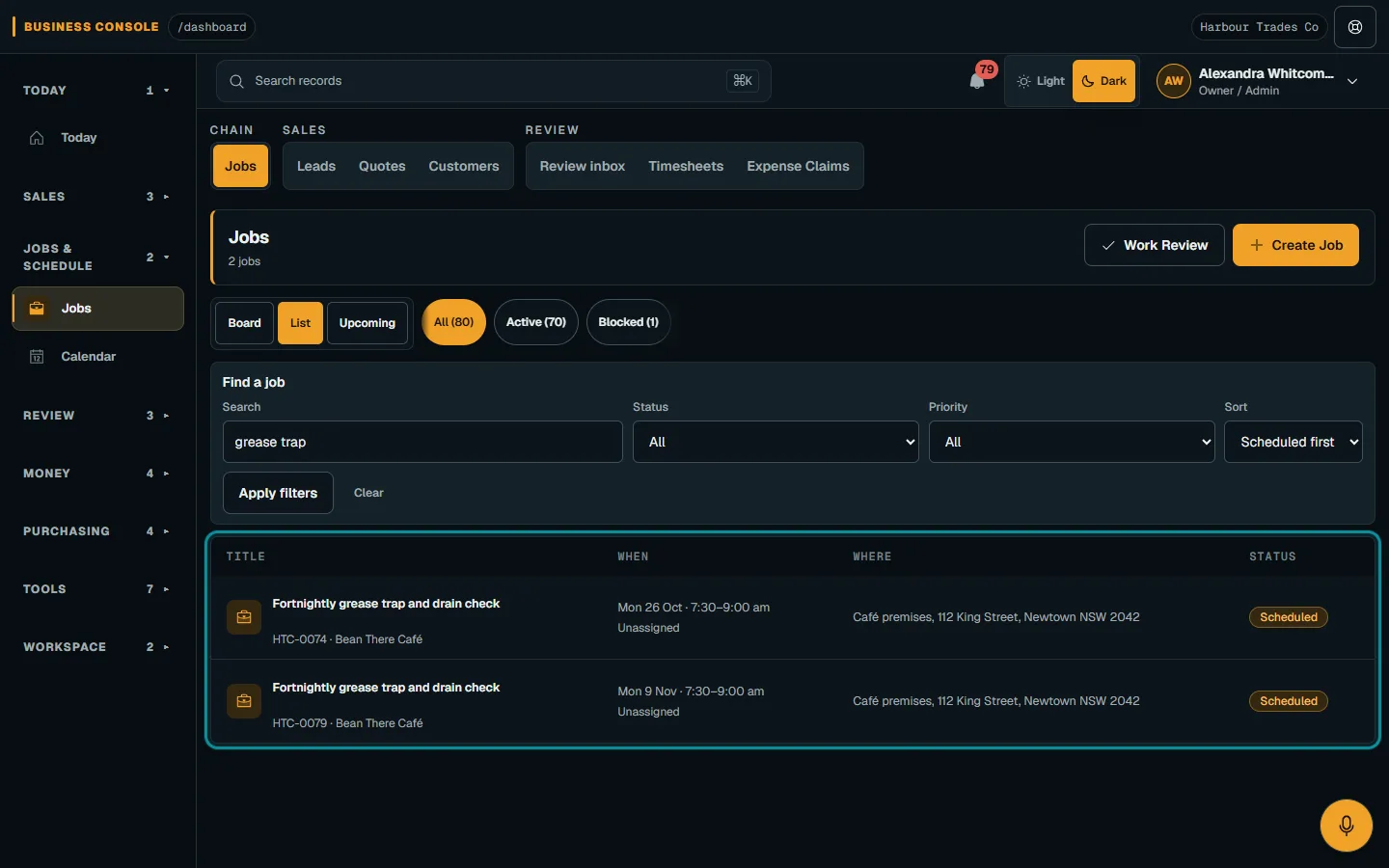
Arrange the order of your round yourself after reviewing the calendar and practical travel needs. A repeating plan records the visit pattern, while staff decide how the work fits the day. Check access windows, equipment requirements and worker availability together. A nearby address is not necessarily ready for attendance at the time that happens to suit the previous job.
Handle weather changes on the affected jobs
When weather changes the plan, inspect the actual bookings before making new promises. Decide which visits need to move, which customer arrangements need checking and what the crew can reasonably complete. Record the revised attendance through the normal scheduling process. Do not assume that moving one visit has changed all later visits or that the customer already knows about the new time.
In Nenvik, reschedule or cancel each affected job as usual. A changed job is not recreated by the plan, and a rescheduled job's new time becomes the Next visit. Editing the plan itself changes visits that are not jobs yet; already created jobs keep their time and crew. Use plan and dispatch a job to review the individual booking and crew.
Pausing a plan skips visits while it is paused, but existing jobs remain booked. Resume continues from the next future visit. That matters for a longer interruption: pause alone will not clear the already scheduled work from the calendar. Review those jobs separately and make the customer communication part of your rescheduling process, with the changed arrangement checked before attendance.
Quote one-off clean-ups as distinct work
An overgrown garden, fallen branches or a requested hedge reduction can require a different scope from regular mowing. Inspect the areas, discuss the intended result and clarify waste removal and access. Record assumptions and exclusions before calculating the price. Avoid folding an uncertain amount of extra work into the recurring visit simply because the crew will already be at the property.
Use create and publish a quote to describe the clean-up with understandable items. Nenvik supports alternative options and optional extras when those help explain the choices. Work out the selling figures from your own expected costs and required margin; how to quote a price for a job provides a practical method without prescribing a mowing or clean-up rate.
Once the customer has made a decision, review the accepted scope before planning the clean-up. Keep the routine mowing instructions available, but make the additional job clear enough that another worker can prepare for it. A note saying do extra garden work does not tell the crew what was accepted, what equipment to bring or what to leave untouched.
Record each visit while the details are fresh
Give the assigned worker relevant checklist items and a way to report exceptions. Useful notes explain which areas were completed, what prevented access and what needs office attention. Relevant photos can help explain the work or a changed site condition. Avoid including unrelated people, private customer information or credentials in the evidence collected for the visit.
The field evidence and time guide explains Nenvik's assignment controls for checklists, time, materials, photos and submission. Complete required answers and close timers before sending work for review. Submission does not automatically finish the whole job or publish private evidence to the customer. The office still needs to assess outstanding work and decide the next step.
Review the visit before invoicing
For invoicing per visit, identify the attendance and agreed service clearly. Compare the completed work with the quoted or agreed scope and any separately approved additions. If part of the property was inaccessible, resolve what that means for the visit before issuing a document that suggests the whole service was completed. Use your actual agreement to guide that conversation.
Follow invoice and payment workflow to prepare and review the invoice in Nenvik. Check the customer, descriptions, quantities and totals before issue, then review payment separately. Keep the recurring plan as the scheduling pattern and each job as the record of that attendance. This gives the office a clearer basis for invoicing and for preparing the next round.
Common questions
Can Nenvik create recurring mowing jobs?
Yes. A Service Plan repeats a visit at one service site and creates Scheduled jobs for visits in the next 30 days. Staff assign the workers themselves.
What happens if rain changes a mowing visit?
Review and reschedule the affected job. Changing the plan applies to visits that are not jobs yet; already created jobs retain their time and crew until you change them.
Should a garden clean-up be part of the regular mowing quote?
Describe it separately when its scope differs. Inspect the work, clarify waste and access arrangements, and obtain a customer decision on the quoted clean-up.
Can we invoice each mowing visit?
Prepare an invoice for the attendance through the invoice workflow. Review the actual work, customer, lines and totals before issuing it; a recurring job does not itself prove completion.
More from the blog
 Locksmith call-outs: dispatch, install quotes and getting paid on siteKeep urgent call-outs and planned installs in the same diary, with clear job records, agreed charges and confirmed payments.Read article
 Deposits on quotes: a practical guide for tradiesExplain a deposit before the customer accepts, check the resulting invoice and confirm payment separately from acceptance and scheduling.Read article
 Late payments and invoice reminders for tradiesMake the invoice clear, check the live balance before following up and use reminders with a deliberate delivery setup.Read article